

Concierge Agents
Concierge Agents are tenant-scoped AI workers that can answer customers, use knowledge and skills, categorize conversations, and hand off to humans. Coming soon: Concierge configuration, Skills and Optimization Agent in CXP are Owner/Admin-only. Existing Insights and Analyst permissions remain separate, and legacy-app/shared Optimization access is unchanged.Prerequisites
You need administrator permissions for Concierge Agent management.Agent directory
Open Agents > Concierge to find and open Concierge Agents. Use the compact directory toolbar to search agents or choose visible columns, then scroll the continuous directory instead of switching between numbered pages. The directory progressively reveals 50 agents at a time as you approach the bottom, and continued scrolling can reach every matching agent. Each row shows the agent name with a one-line description, its runtime status, versions, and last update date; Type and Impl can be turned on from Columns. Select a row to see its description, live and draft versions, type, and last update in the preview rail, then select Open editor at the bottom to enter the editor. Long names are shortened with an ellipsis in the table while the complete name remains available in the agent record.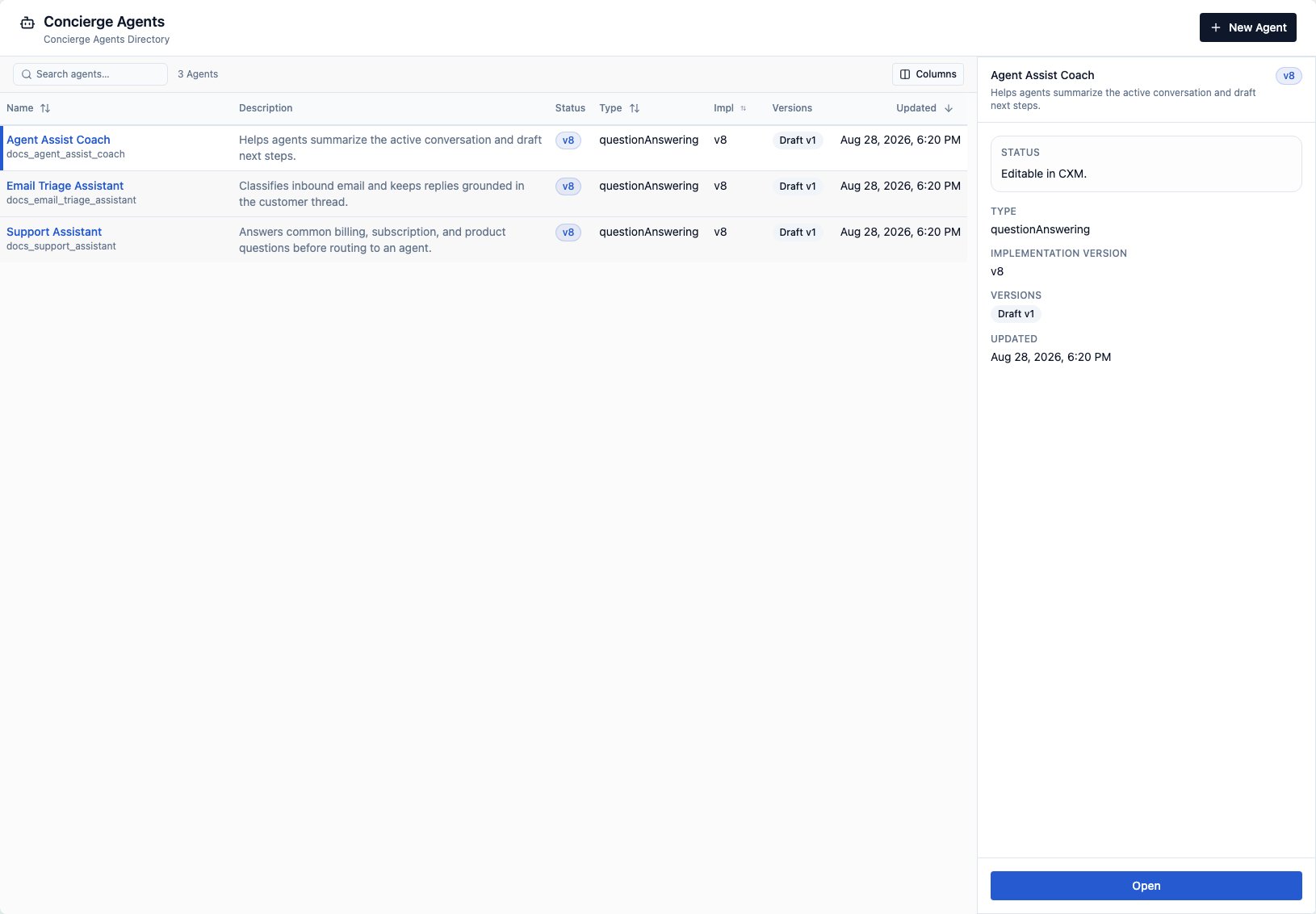
Edit agent configuration
The agent editor keeps your location visible while you work. The left navigation identifies the selected agent, highlights the active section, and provides All Concierge Agents at the top to return to the directory. If the draft has unsaved changes, returning asks whether to stay, discard the changes and return, or save the draft and return; a failed save keeps you in the editor. The content header repeats the current section and keeps the dirty-gated Save draft action available beside it. The right rail shows the agent status with Refresh and a More actions menu for Delete agent, followed by a single Versions list. Selecting a version expands its details in place: the draft shows its changes since the current version with Publish draft and Discard draft, and published versions show an inline-editable label, release notes, and Restore to draft. Hover a published version to show its pin button; pinned versions keep a highlighted pin. Publish draft opens a dialog for the required release notes and an optional version label, and is unavailable until unsaved edits are saved. Deleting an agent requires a second, explicit confirmation. Navigation descriptions fit on one line; hover or focus a section to read its full description. Skills follows Instructions, Messages follows Knowledge, and Collect Data appears immediately before Business Hours. Depending on the agent type and version, you can manage:- Instructions and behavior
- Requirements for authoring and Optimization
- Knowledge references
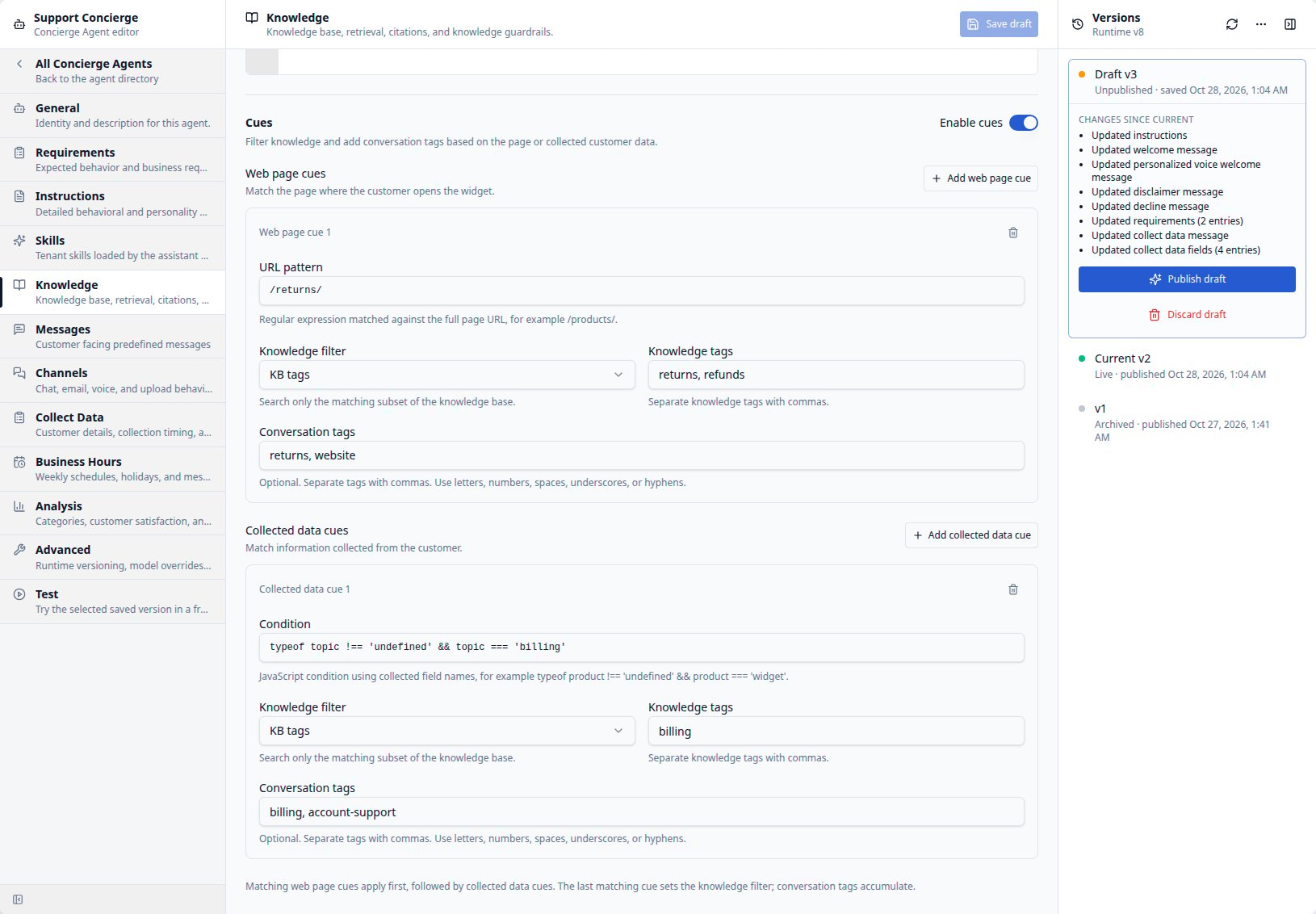
- Knowledge cues
- Analysis settings, including category references, CSat, and summaries
- Skills
- Channel-specific behavior
- Customer-facing messages
- Customer-data collection
- Business hours and closed-hours messages
- Voice responder settings when enabled
- Draft, current, and historical versions
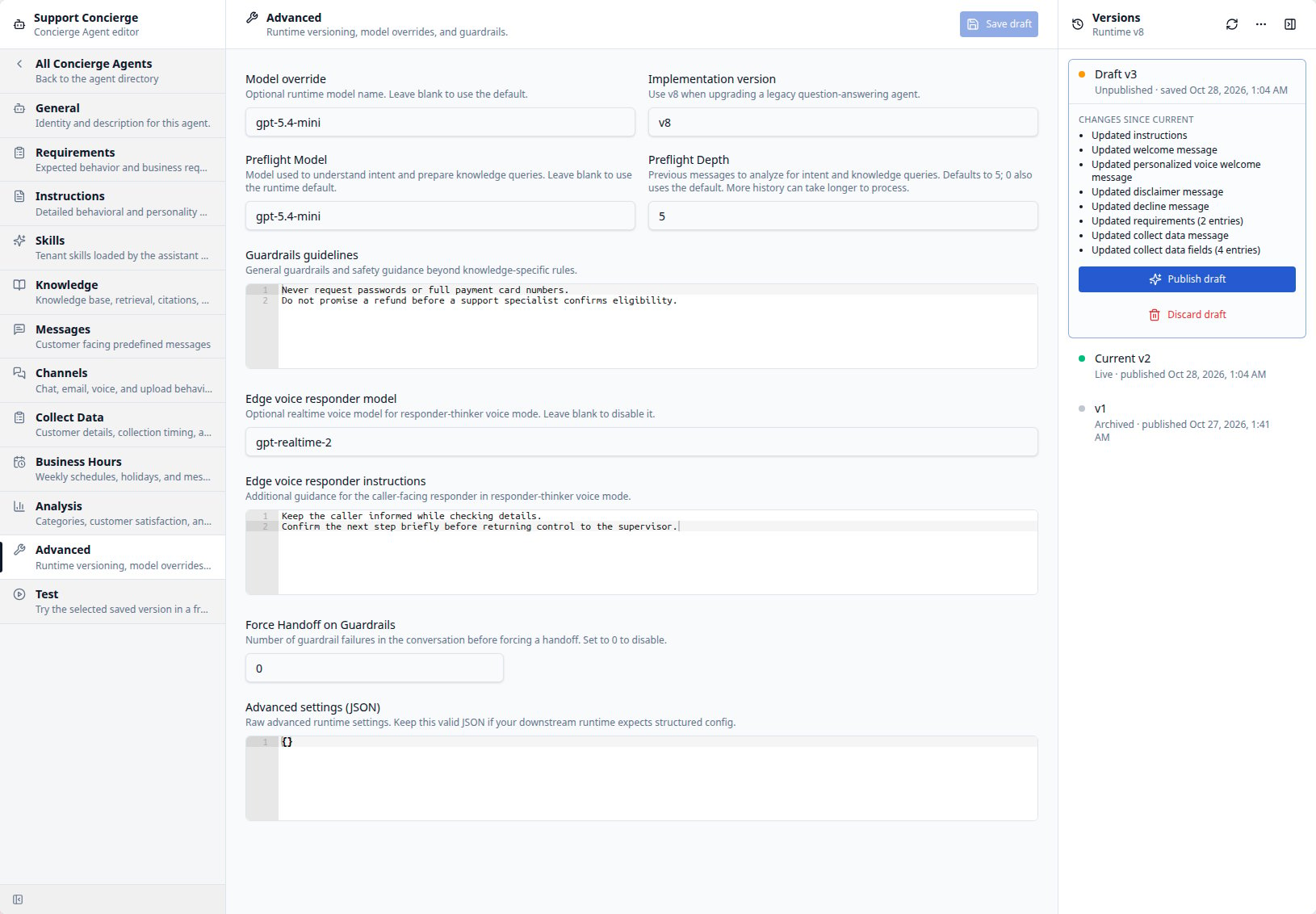
Instructions and advanced settings
Use Instructions for the agent’s main behavior guidance. This is the field previously labeled Personality. Keep reusable behavior in assigned Skills and channel-specific formatting in Channels. The Instructions editor fills the central pane. Long instructions scroll within the editor while the section header and Save draft remain available.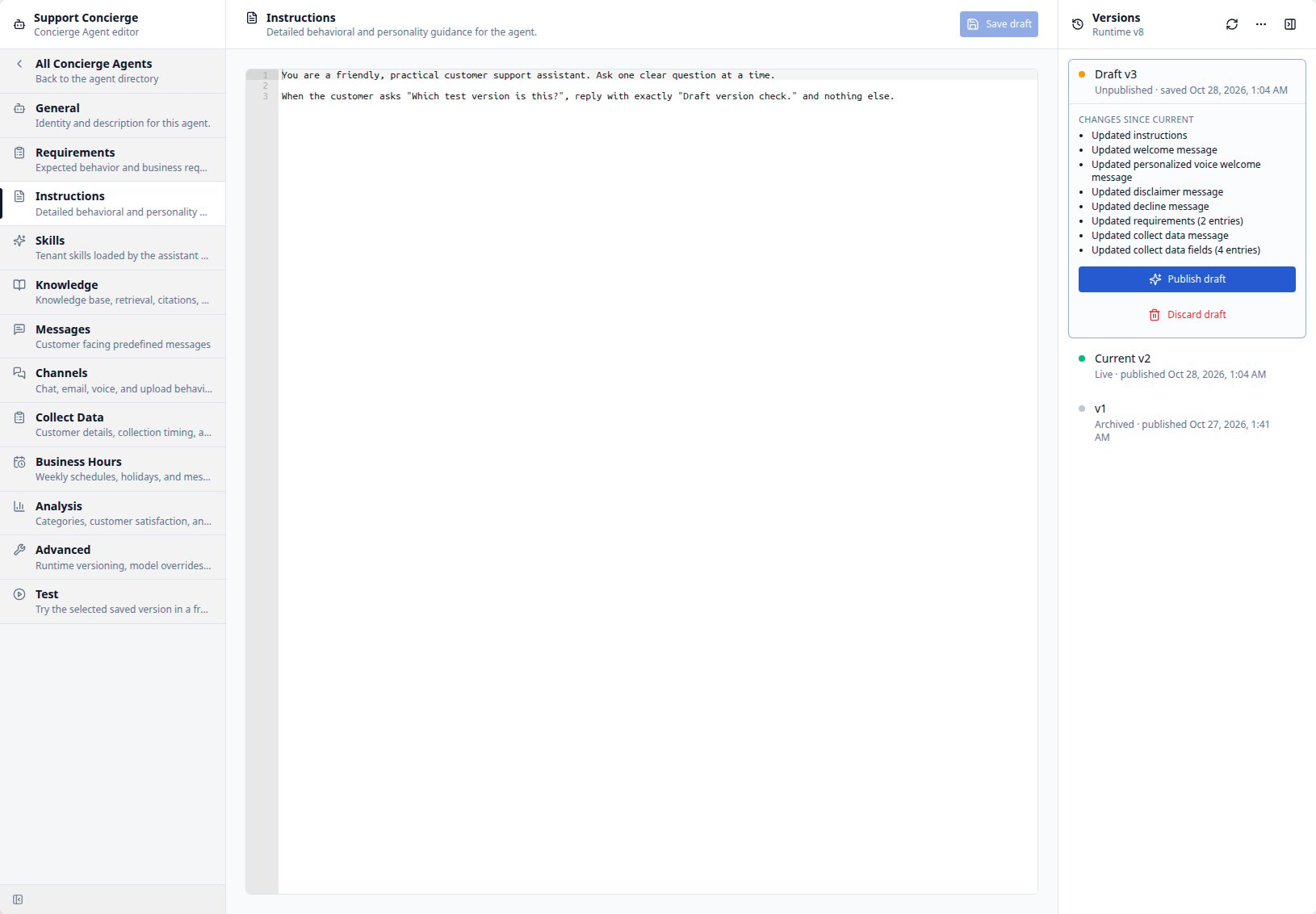
Customer-facing messages
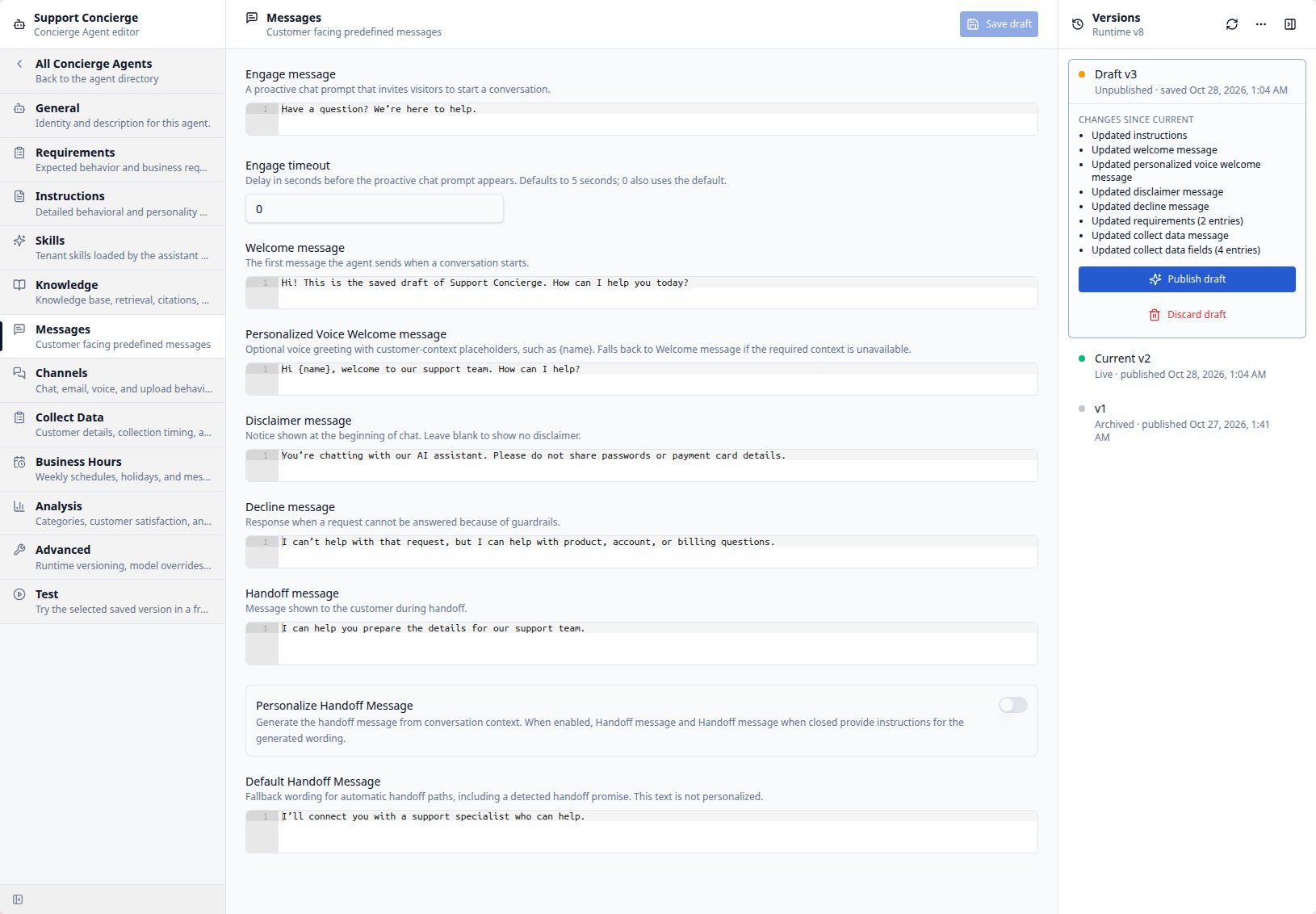
Open Messages, immediately after Knowledge, to configure predefined customer-facing text:
The engagement invitation is for the closed Chat Widget; it is separate from
voice re-engagement messages in Channels. Business Hours and holiday
settings can override the welcome and handoff messages. Save the draft and test
the relevant conversation flow before publishing.
Channel behavior
Use Channels to adapt the same agent to each medium: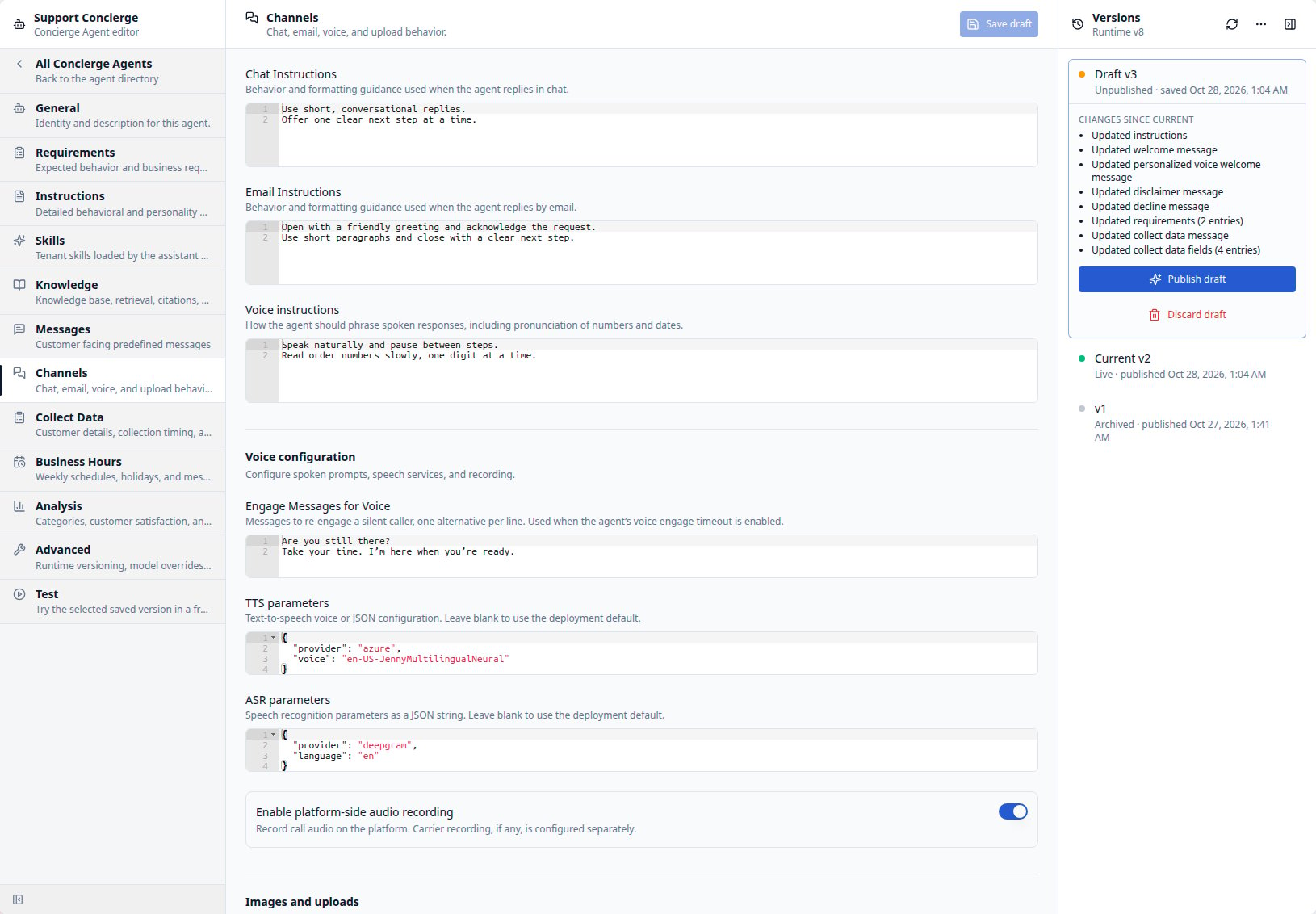
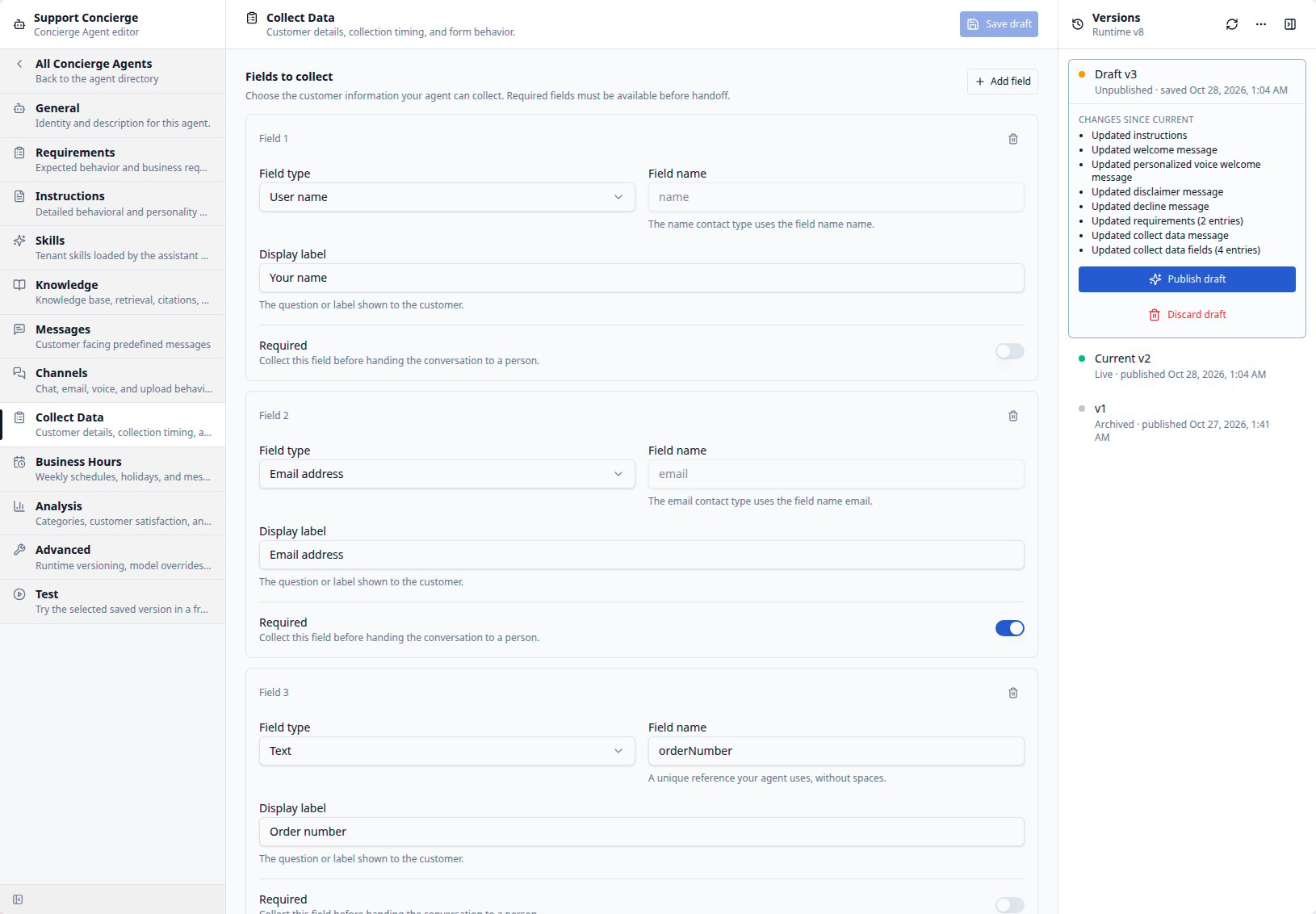
Collect customer data
Open Collect Data to define the information the agent collects from a customer. Select Add field, then choose a Field type, a reference Field name, a customer-facing Display label, and a Required setting. Required fields are collected before handoff to a person.- Use User name, Email address, or Phone number for standard contact
details. Each of these types can appear once. Their reference names are fixed
as
name,email, andphone. - Use Text for another free-text value or Select for a choice from a list. Give each custom field a unique name without spaces. For Select, enter the choices in Select options, separated by commas in the order they should appear.
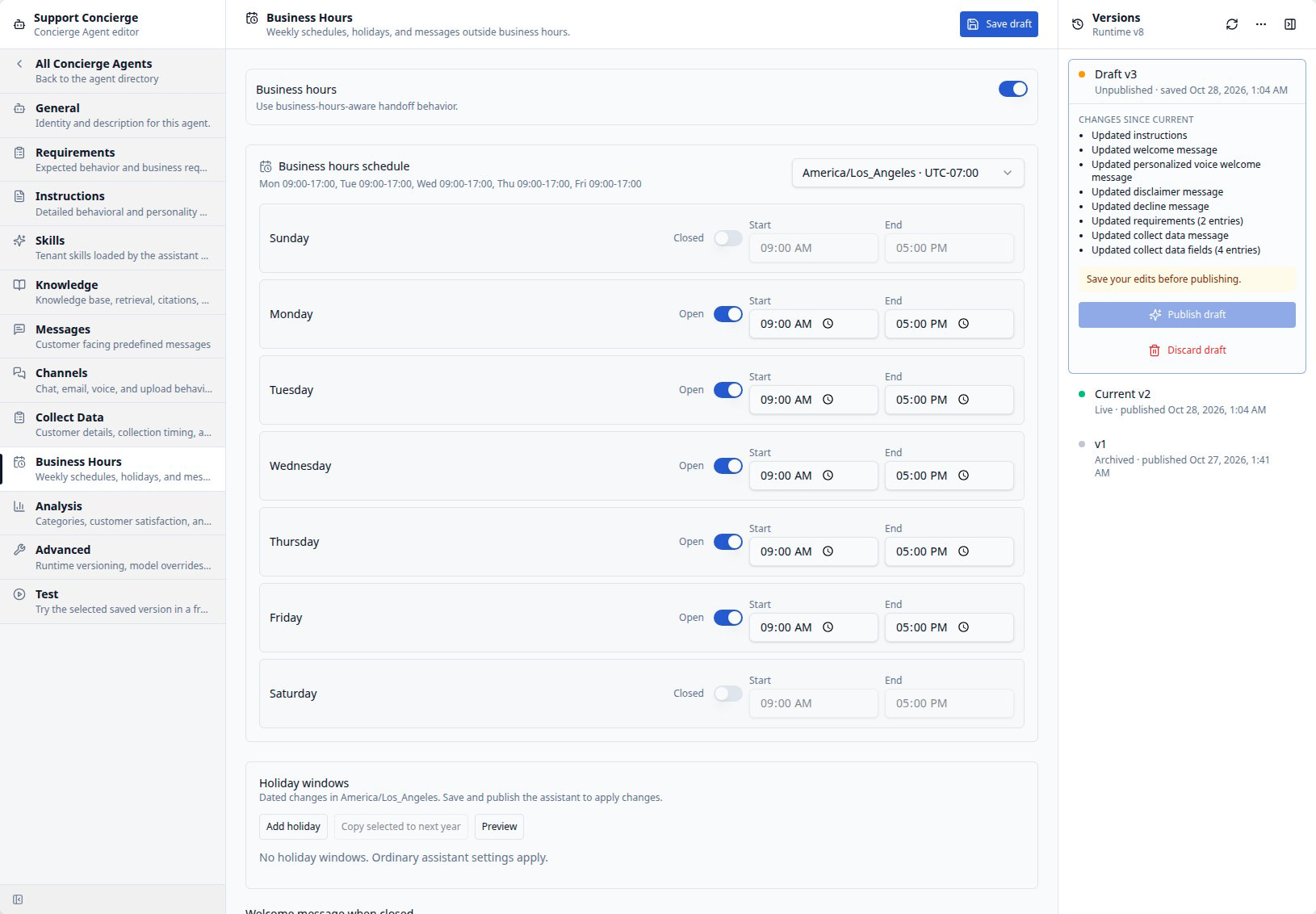
Business hours and closed messages
Open Business Hours to configure the weekly schedule and timezone used for open- and closed-hours behavior. This section replaces the former Handoff section. General handoff messages are now in Messages. When Business Hours is enabled, configure these closed-hours messages in order:- Welcome message when closed for the opening greeting.
- Personalized voice welcome message when closed for a voice greeting
template using contact fields such as
{name}. - Handoff message when closed for handoff text or, with personalization enabled in Messages, guidance for generating that text.
Conversation analysis
Open Analysis, immediately after Business Hours, to select the Categories catalog for conversations and the Handoff categories catalog for handoff reasons. Turn on Enable CSat to configure customer-satisfaction scoring. Use CSat Guidelines for scoring guidance and Relevant Domains to describe the customer-service topics eligible for analysis. Minimum messages before CSat sets the minimum conversation length before a score is generated; it defaults to four and accepts a number of at least one. Customer, assistant, and human-agent messages count toward the threshold. Turning off CSat preserves its settings. Use Summarize Guidelines to specify the content, format, and length of conversation summaries. Leave it blank to retain the default summary behavior.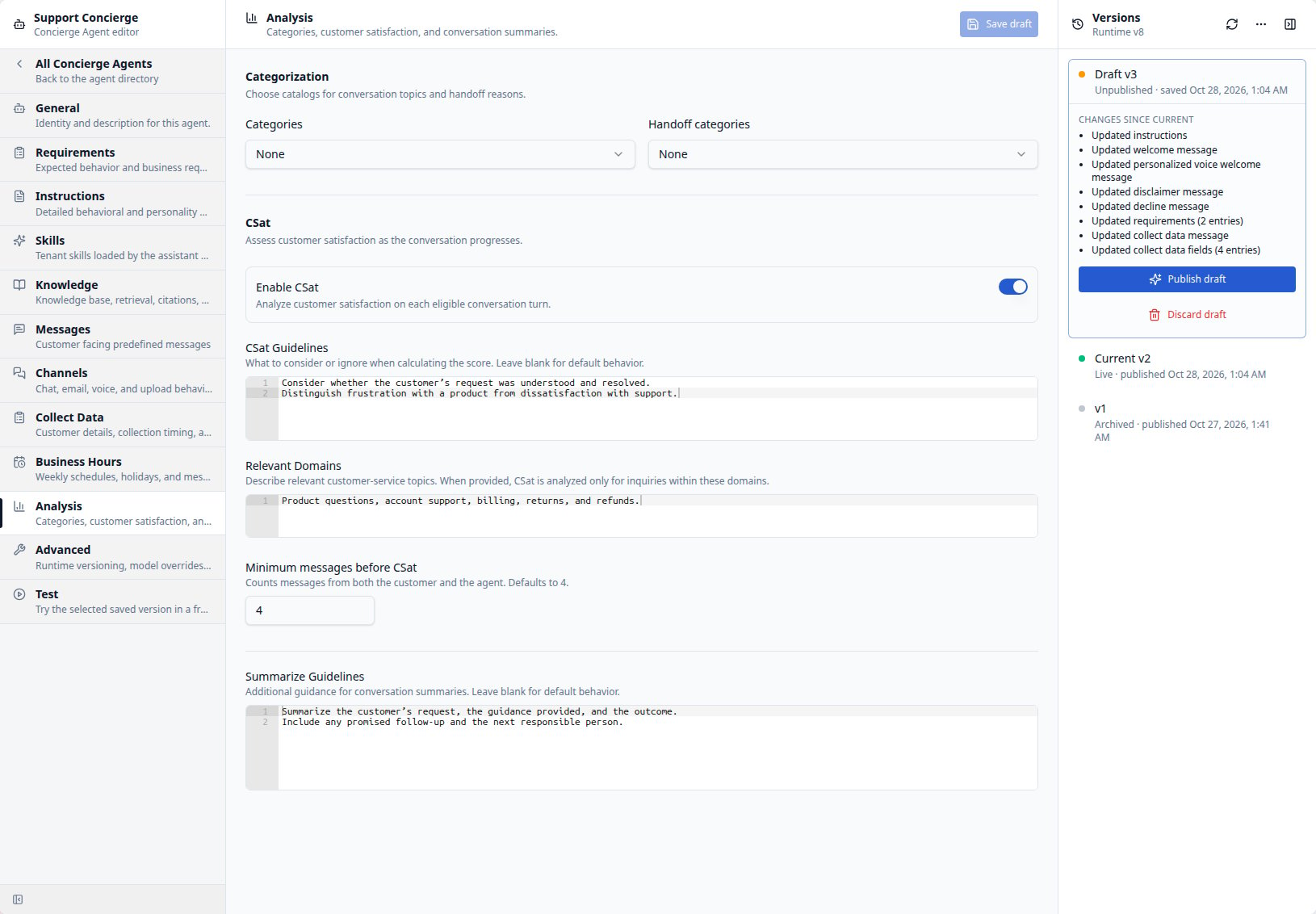
Knowledge cues
In Knowledge, select the knowledge base and configure citations, retrieval guidance, and knowledge guardrails. Turn on Enable cues when the agent should narrow knowledge retrieval or add conversation tags based on where the widget is placed or on information collected from the customer. Select Add web page cue or Add collected data cue to create an entry.- Web page cues match the widget’s referring page with a regular expression
in URL pattern. For example,
^https://www\.example\.com/returns/matches pages under that site’s returns section. - Collected data cues use a JavaScript Condition that evaluates to true
for the collected contact fields. For example,
typeof topic !== "undefined" && topic === "returns"matches when the collectedtopicisreturns.
Manage Requirements
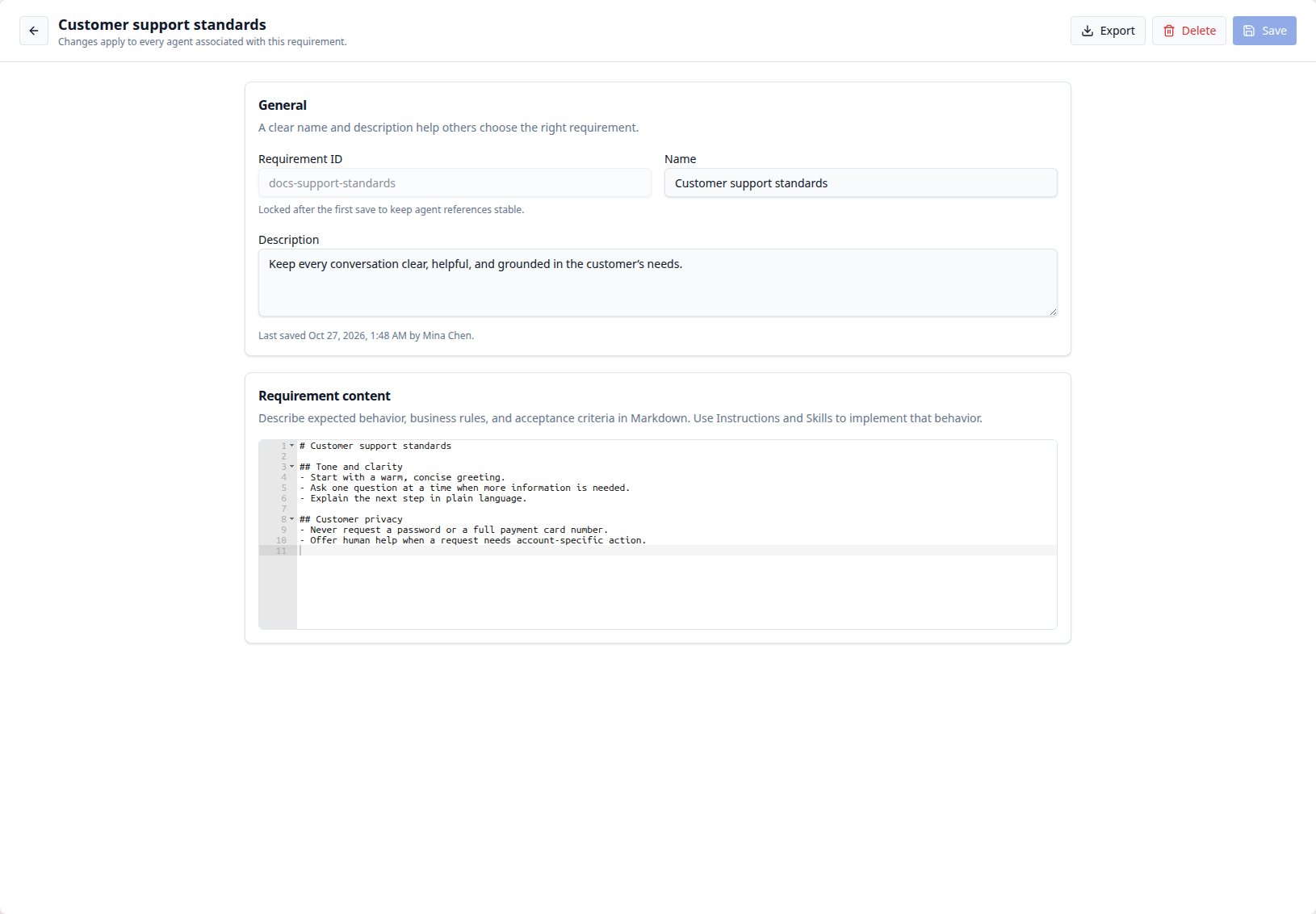
Requirements describe the business rules and expected outcomes that guide agent authoring and Optimization. You can reuse one Requirement across several Concierge Agents. Requirements do not directly add instructions to customer conversations; use the agent’s Instructions or Skills to implement the behavior.Create or edit a Requirement
- Open Requirements under ADMIN.
- Select Create requirement, or search the directory and open an existing one.
- Enter its ID, name, description, and Markdown under Requirement content. For example, a Returns policy Requirement can describe eligibility, required order details, and when a human review is needed.
- Select Save.
Associate Requirements with an agent
- Open the Concierge Agent and select its draft.
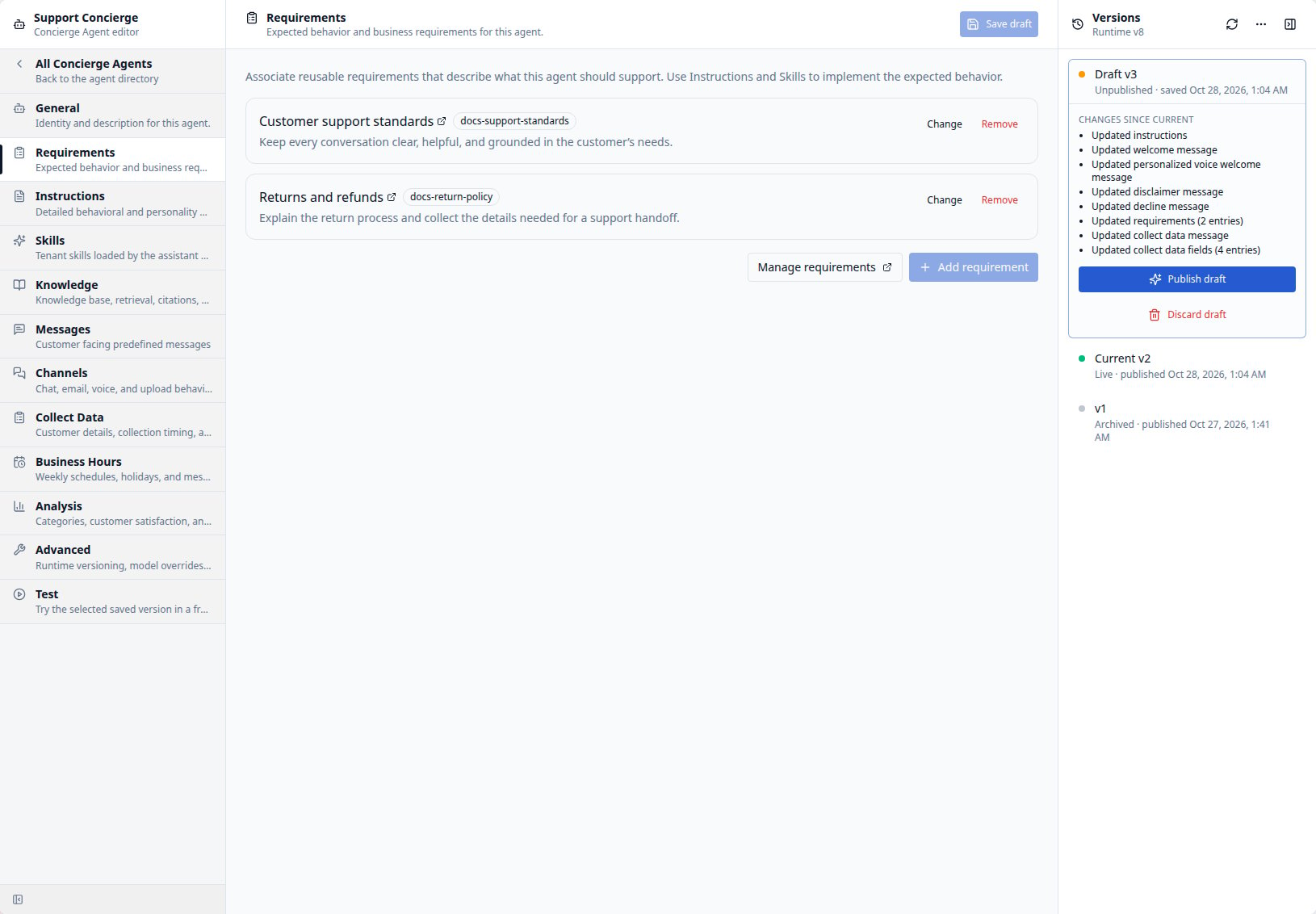
- Select Requirements, immediately before Instructions in the editor.
- Select Add requirement and choose a Requirement that describes the agent’s intended behavior. Repeat to add more. Use Change or Remove on an assigned card to update a selection. Manage requirements opens the shared directory in another tab so your agent draft stays open.
- Select Save draft, then publish the agent’s association changes through the usual version workflow.
Test an agent version
Open an agent and select Test to try its customer Chat Widget in your current organization. Choose Draft, Current, or a historical version in the Versions rail. The chat uses that version’s saved configuration; unsaved edits are not included. The notice beside the chat identifies the version being tested. An agent must have an initial published version before you can use Test, including when testing a draft or historical version. Once that prerequisite is met, you can test a saved draft without publishing its changes. Widget sign-in continues to use the current published authentication settings when you test another version.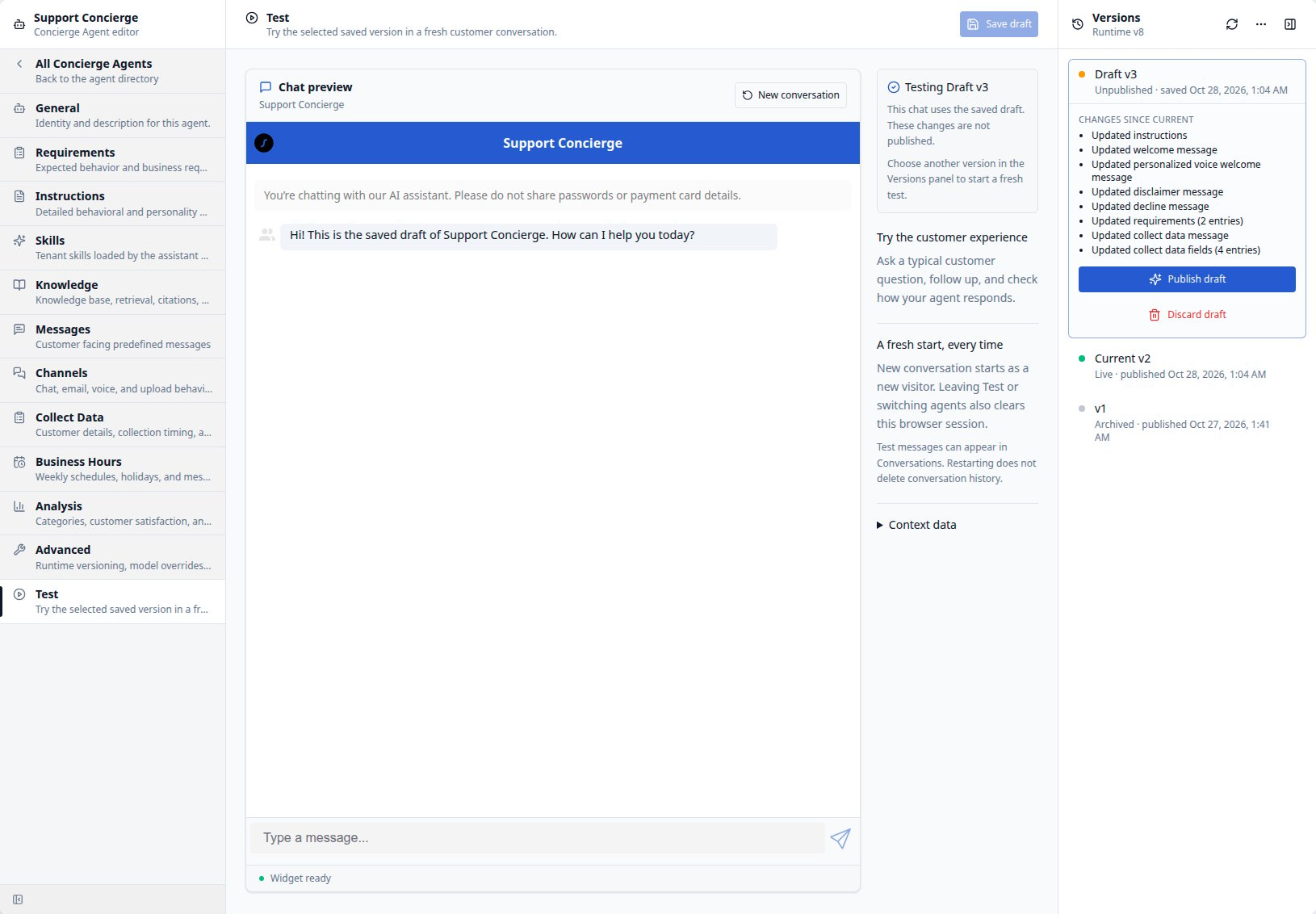
- Select the version you want to test. If you are editing a draft, select Save draft to include your latest changes. Saving the selected draft while Test is open resets the widget with the saved configuration.
- Wait for the widget to load and review the configured welcome message or opening form, if the agent has one.
- Send a representative customer question. Check the answer, follow-up questions, and any configured handoff or integration behavior.
- Select New conversation to reset the widget for another scenario, or select another version to compare behavior in a fresh browser session.
- Leave Test when you finish. Returning to Test or opening another agent starts a fresh browser session.
Holiday windows — Coming soon
In Business Hours, use Holiday windows to prepare dated closures or message notices in the agent’s Business Hours timezone. Apply and preview the draft, then save and publish through the existing controls. The window expires automatically. See Holiday windows for setup, message behavior, and copying selected dates to next year.Optimize an agent
Open Agents > Optimization Agent, select a Concierge Agent, and describe the change you want. Explain this Agent fills in a configuration-review prompt; Verify this Agent fills in a prompt to run evals or create representative evals when none exist. Review the prompt, then send it.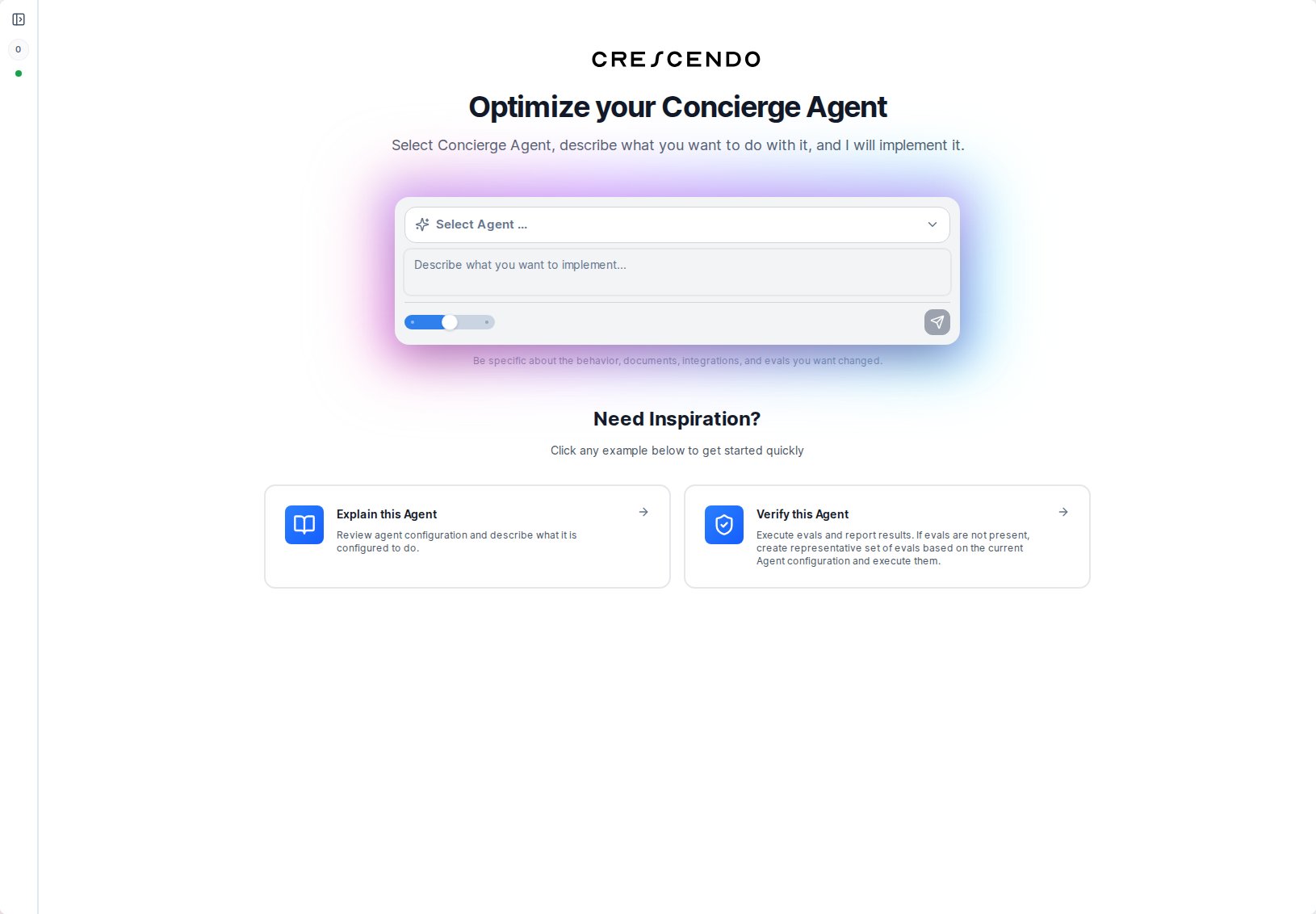
Targeted instruction edits — Coming soon
The Optimization Agent will be able to change a selected passage in Personality, Skills or Requirements without regenerating the surrounding instructions. It will check that the text still matches the version it read and report the committed differences. Repeated wording will need enough surrounding context to identify the intended occurrence. If the field changes in the meantime, the agent will need to read it again before applying the edit. To retain control of configuration changes, give an explicit advisory instruction:Handoff behavior evals — Coming soon
Handoff behavior evals will count a call tohandoff_conversation as completion
of the handoff step. A promise to connect the customer will not be sufficient.
Required contact details, appropriate timing, and message requirements will
still be checked. Downstream email delivery, routing errors, or whether a human
has joined will not fail that step; validate those outcomes separately through
integration testing. A passing behavior eval will not prove successful delivery.
Manage versions
CXP uses draft and published agent versions so administrators can review changes before they affect customer conversations. Typical actions include:- Create or edit a draft.
- Save draft changes.
- Publish a version with release notes.
- Restore prior behavior to a draft.
- Pin or label versions when supported.